
At some point in your first week, a search will come back wrong. Not slightly-off wrong — bewildering wrong. You search for something obvious and get a list of items that seem completely unrelated, and there's no error message, no red text, nothing to explain it. Everything says it's working. It just isn't.
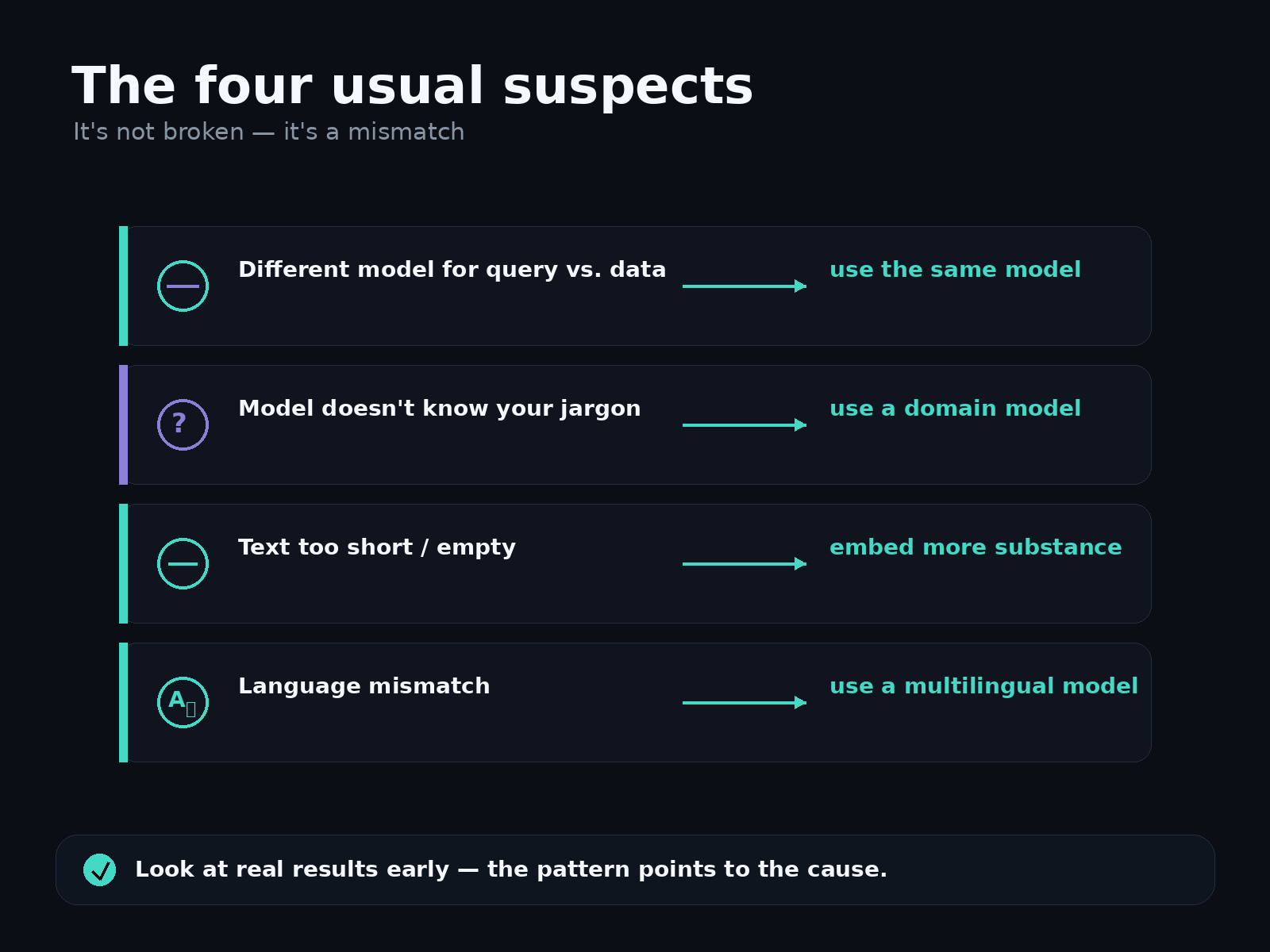
The good news: this is almost never a bug, and it's almost always one of a small handful of mismatches that are easy to recognize once you've seen them. None of them mean the technology is broken or that you did something dumb. They mean the map and the query aren't speaking the same language yet. Here are the usual suspects, in rough order of how often they bite.
1. You used a different model for the query than for the data
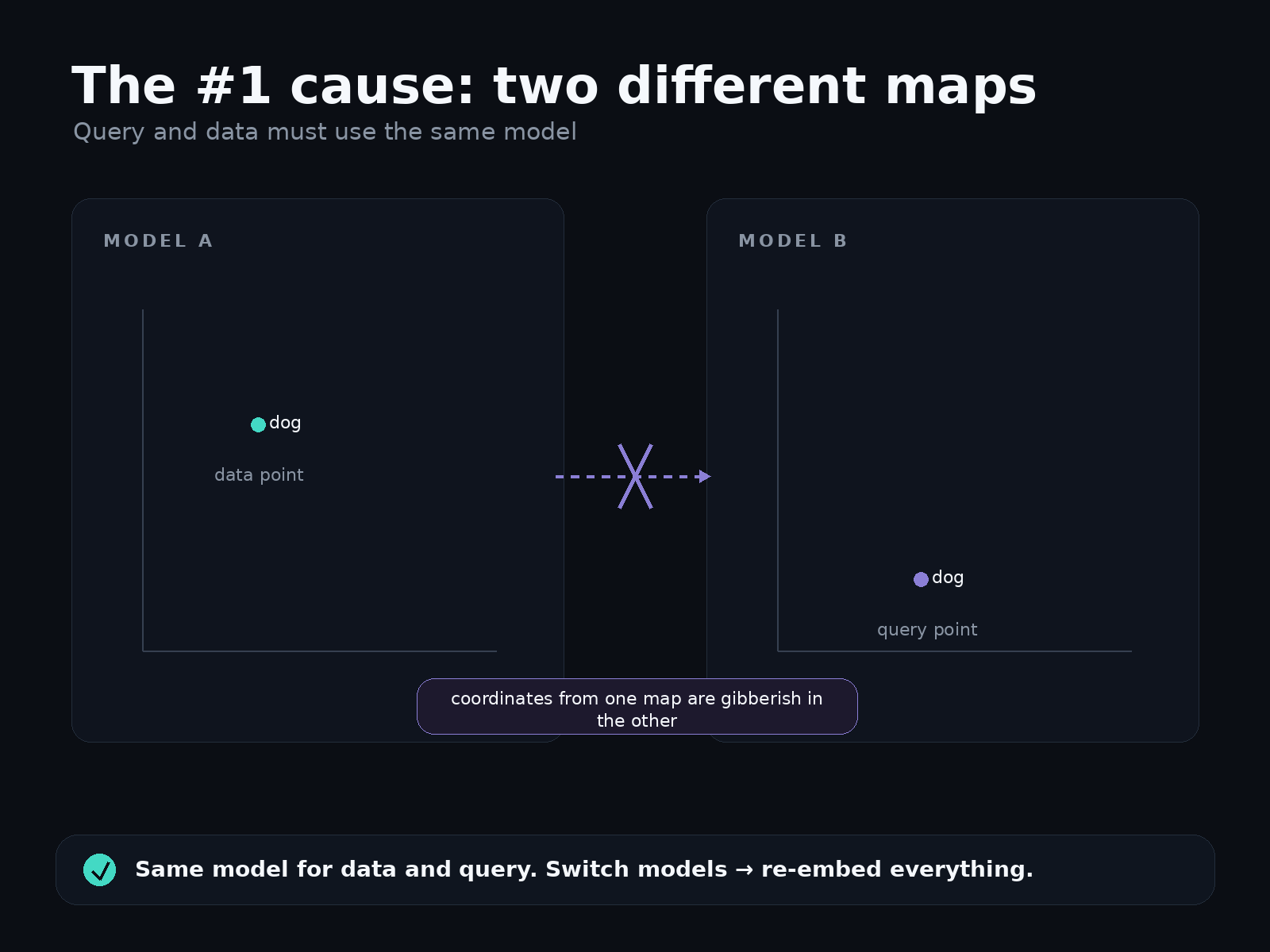
This is the number-one cause of "why is everything nonsense," and it's worth understanding why it breaks so completely.
An embedding is a set of coordinates on a map — but every model draws its own map. Model A puts "dog" at one spot; Model B puts "dog" somewhere entirely different. The maps aren't compatible; a coordinate from one is gibberish in the other.
So if you embedded your data with one model and then embed your search query with a different model, you're asking "what's near this point on Map B?" while all your data lives on Map A. The nearest points you get back are essentially random. Everything looks correctly configured — you have vectors, you have a query, the search runs — but the answers are noise.
The fix: use the exact same model for queries that you used for your data. Same model, same version. If you ever switch models, you have to re-embed everything — the old data and the new query — so they share one map again. This is the single most important rule in the whole field, and the easiest to break by accident.
2. The model doesn't know your world
General-purpose embedding models learned from general text — Wikipedia, news, forums. They're excellent at everyday language and surprisingly weak at specialized vocabulary they rarely saw.
Feed one your internal product codenames, dense legal citations, medical shorthand, or industry jargon, and it does its best, but it never really learned what those terms mean or which ones are related. So "Project Falcon" and "Project Peregrine" — obviously related to you — land nowhere near each other, because to a general model they're just two random unfamiliar words. The search isn't broken; the model is out of its depth.
The fix: for a specialized domain, use a model trained for it (there are models tuned for legal, biomedical, code, and more), or one you've adapted to your data. A quick way to sanity-check whether this is your problem: run a few searches using plain, everyday descriptions instead of your internal terms. If those work well and the jargon ones don't, the model simply doesn't speak your dialect yet.
3. The text you embedded was too thin
An embedding is only as good as the text it was made from. A model needs a little substance to place something meaningfully on the map. Hand it almost nothing and it has almost nothing to work with.
Empty strings, a lone product SKU, a single word, a title with no body — these produce vectors that land in vague, crowded parts of the map where everything is mushily near everything else. The results feel random because, for that item, they kind of are.
The fix: embed something with actual meaning in it. Instead of embedding just a product name, embed the name plus a sentence of description. Instead of a bare title, include a summary. More signal in, more sensible position out. (If some of your items genuinely have almost no text, that's a hint that vector search may be the wrong tool for those — an exact lookup might serve them better.)
4. A language mismatch
Most embedding models are trained mainly on English. Give one text in another language, or a query in English against data in Spanish, and results can quietly degrade — not always, since some newer models are genuinely multilingual, but often enough to be worth checking.
The fix: if you're working in a non-English language or mixing languages, pick a model that explicitly advertises multilingual support, and keep query and data in the arrangement the model was built for.
The one habit that catches all of these
Notice that every fix above starts with the same move: look at the actual results yourself. Embed a small slice of your real data, run a handful of searches you already know the right answers to, and read the top few results with your own eyes. If they make sense, you're in good shape. If they don't, the pattern of what's wrong usually points straight at which mismatch you've got — everything random points to a model mismatch, jargon-only failures point to a domain gap, thin items point to thin text.
This five-minute check, done early, saves far more time than it costs, and it's the thing experienced people do reflexively before trusting any embedding setup.
Closing
Weird results are rarely a broken system and almost always a mismatch — most often a query and a dataset that ended up on two different maps. The technology is doing exactly what you asked; it's just been asked something subtly inconsistent. Once you know the four usual suspects, "everything is nonsense" turns from a mystery into a quick diagnosis, and the fix is usually one line.