
Here's a fair question to be suspicious about. You run a search. Your query gets turned into a point on a map (that's what an embedding is), and the database finds the items nearest to it. Fine. But if there are a billion items on that map, and the answer comes back in forty milliseconds — how? Forty milliseconds isn't enough time to look at a billion of anything.
Either the computer is doing something very clever, or it's cutting a corner. The honest answer is: both. And once you see the trick, the word "approximate" — which you'll run into a lot in this world — stops being scary and starts making sense.
The slow way, and why nobody does it
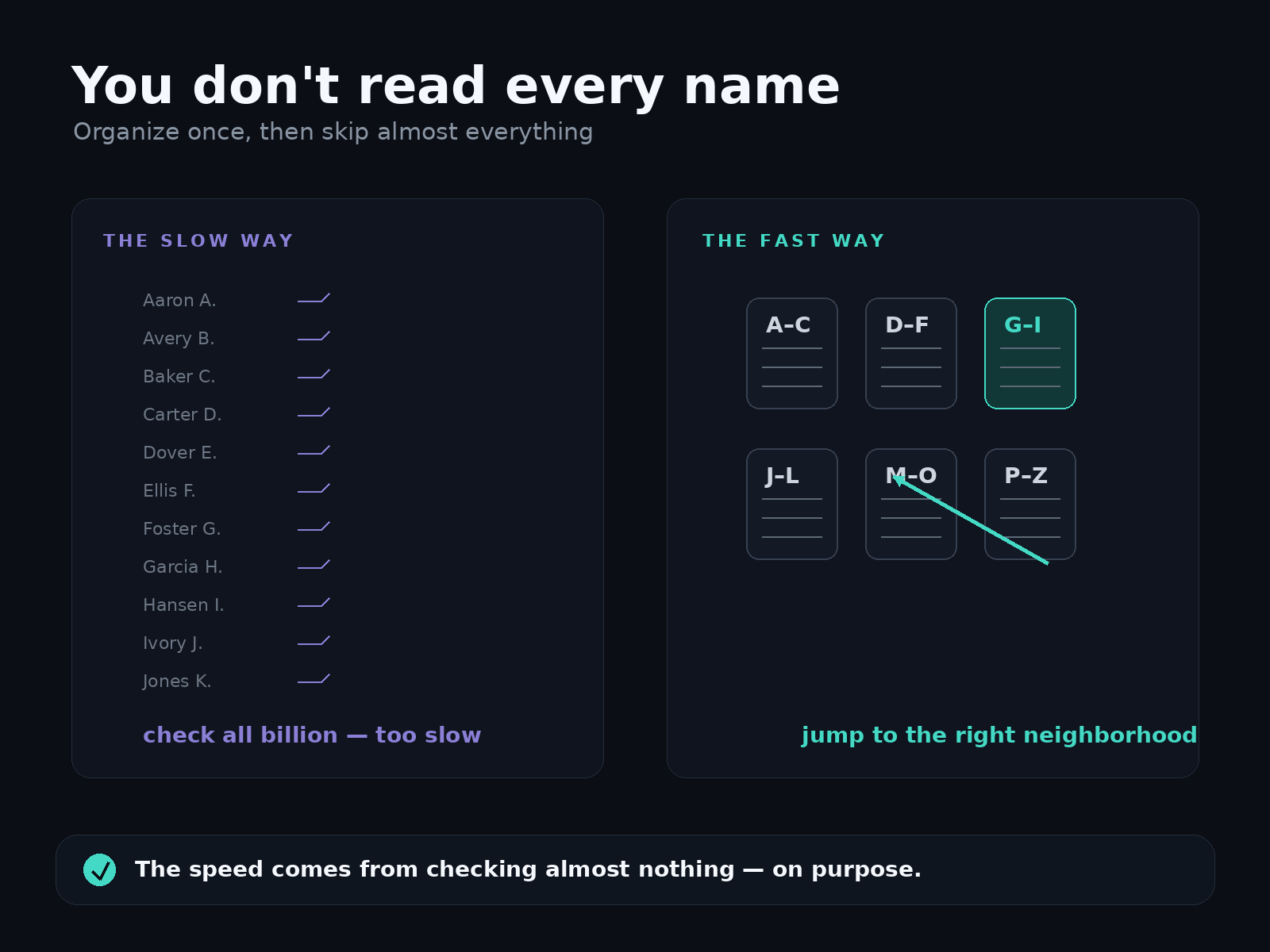
The obvious way to find the nearest item is to measure the distance from your query to every item, one by one, then keep the closest. This works. It's also completely correct — it will always find the true nearest match.
It just doesn't scale. A billion distance measurements per search is fine if you have one search a day and infinite patience. It falls apart the instant you have real traffic. It's the equivalent of finding "Nguyen" in the phone book by starting at page one and reading every single name until you hit it.
Nobody looks up a name that way. And nobody searches a billion vectors that way either.
The fast way: jump to the right neighborhood
Think about how you actually find Nguyen in a phone book. You don't read every name — you flip straight to the N's, because the book is organized. The organization is the whole trick. Someone did the work of sorting ahead of time, so that when you show up with a query, you can skip almost everything and go straight to the small slice that could possibly contain the answer.
Vector search does the same thing, just in many directions instead of alphabetically. Ahead of time — before you ever run a search — it groups the vectors into neighborhoods of things that are near each other on the map. All the dog-ish points cluster over here; all the invoice-ish points cluster over there. This organized structure is called an index.
Now, when your query arrives, the database doesn't compare it to a billion points. It figures out which neighborhood your query lands in, walks over to that corner of the map, and only checks the handful of items that are actually nearby. A few hundred comparisons instead of a billion. That's where the milliseconds come from. Not from checking fast — from checking almost nothing.
The catch — and why it's fine
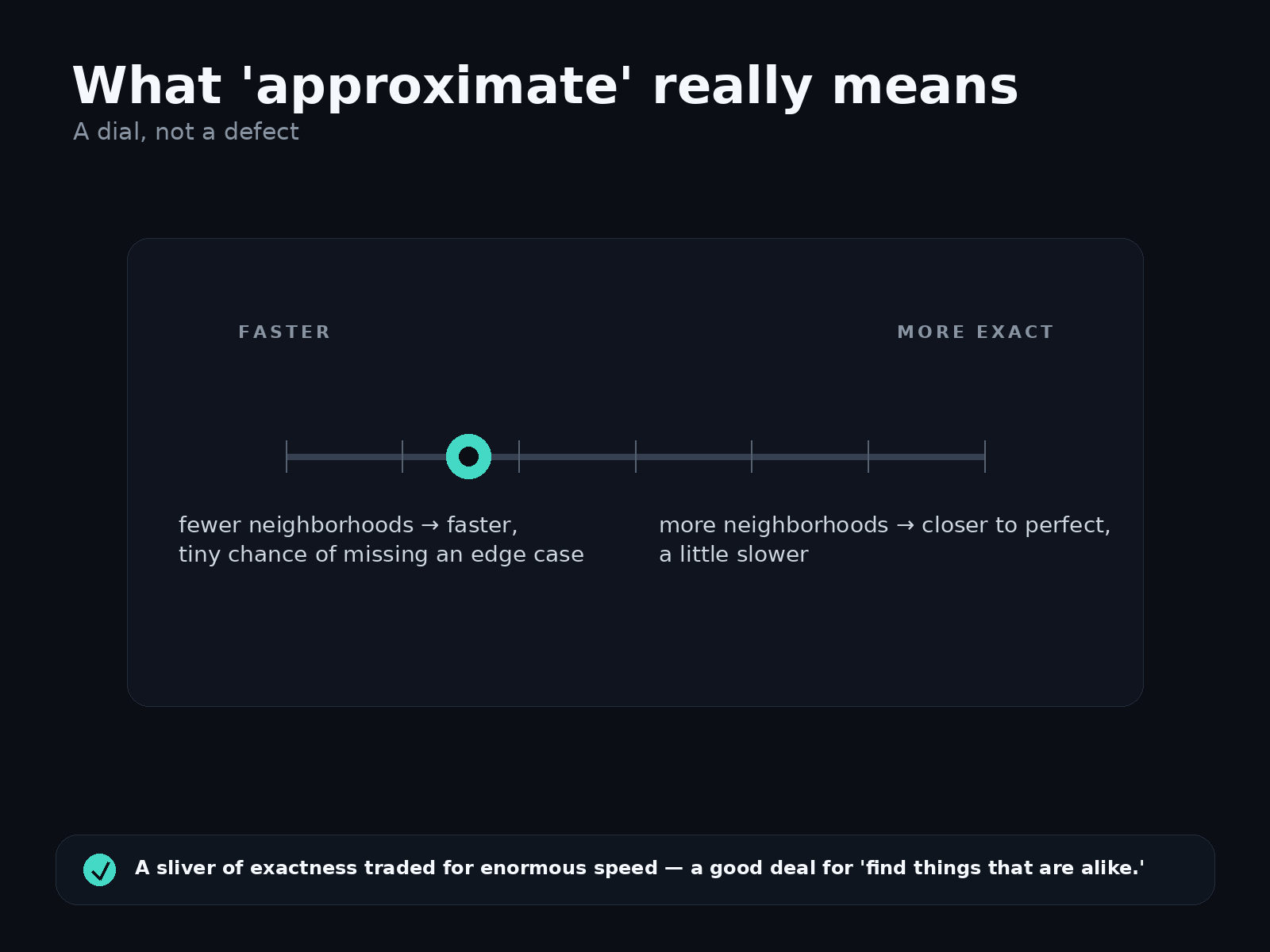
Here's the trade, stated plainly: because the database only looks in the most promising neighborhoods, there's a small chance the true closest item was sitting just over the border in a neighborhood it decided not to search. So instead of guaranteeing "the single nearest item, always," it gives you "almost certainly the nearest items, and if not, something so close you'd never tell the difference."
That's what "approximate" means. It's not "sloppy" or "unreliable." It's a dial: search more neighborhoods and you get closer to perfect but a little slower; search fewer and you get faster for a tiny risk of missing an edge case. In practice the results are excellent — you'd have to go looking, with the slow exact method running side by side, to spot the rare disagreement.
And it's worth being clear-eyed about when the trade is a bad one. If your task genuinely cannot tolerate "almost certainly" — a lookup that must be provably exact and complete — then similarity search is the wrong tool for that part of the job, and a regular database is the right one. (That's one of the wrong-fit cases in when to use vector search.) For the questions vector search is meant for — "find me things that are alike" — nobody is counting on a single mathematically-perfect winner. They want good matches, fast. Approximate delivers exactly that.
What this means for you
The nice part: you don't have to build or tune any of this by hand. Organizing a billion points into good neighborhoods, and picking how aggressively to search them, is fiddly work — and it's the database's job, not yours. You hand over your vectors; the system builds the structure, keeps it current as you add and remove items, and picks settings that balance speed against quality for your particular data. You just run searches and get fast answers.
So the two numbers that might have seemed contradictory — a billion items, forty milliseconds — aren't in tension at all. The speed doesn't come from a faster computer. It comes from refusing to look at almost everything, on purpose, and being willing to be nearly perfect instead of provably perfect. For finding things that are alike, that's not a compromise. It's the entire point.
Closing
Fast search isn't magic and it isn't a lie. It's a phone book: organize once, so every lookup afterward can skip the parts that don't matter. The "approximate" label is just the honest fine print on that shortcut — a sliver of exactness traded for an enormous amount of speed, on a kind of question where that's a trade worth making every time.